
How to see and download your bills
Every purchase you make at a Chemist Box store is billed against your mobile number. You can look those bills up yourself — no app, no password, no visit to the store. It takes about a minute.
What you need
• The mobile number you gave at the billing counter.
• That phone with you, to receive the one-time password (OTP).
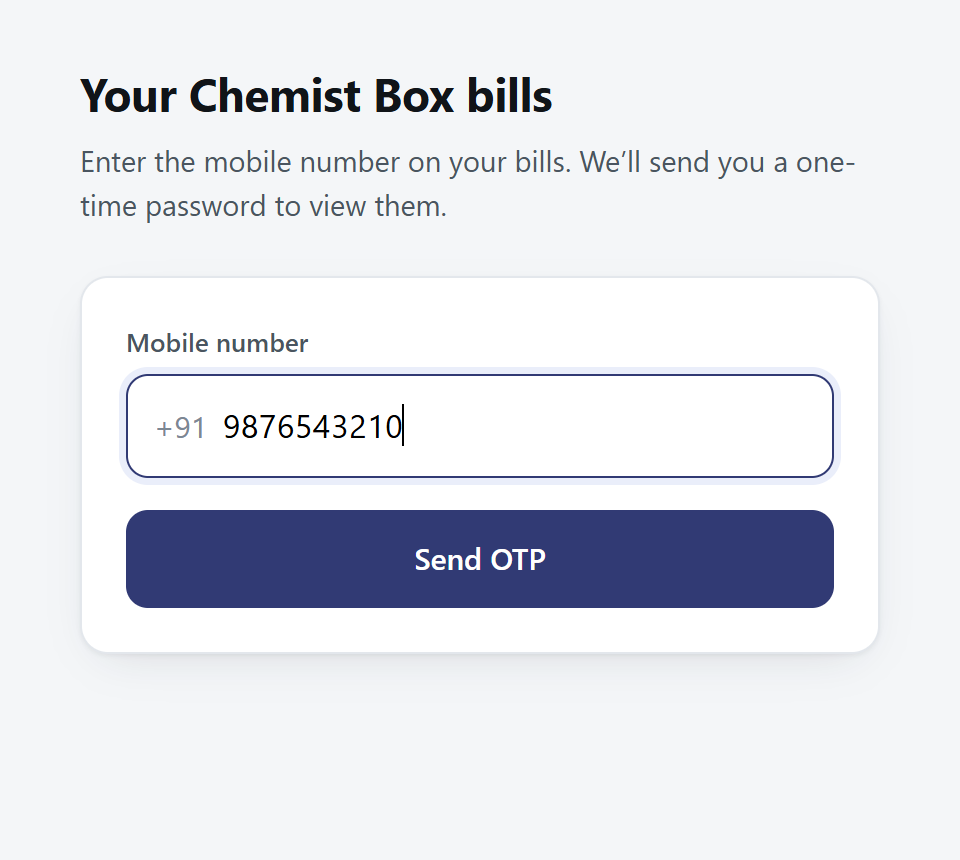
1 Enter your mobile number
Type the 10-digit mobile number that is on your bills, then press Send OTP. Use the same number you gave at the counter — bills are found by that number alone.
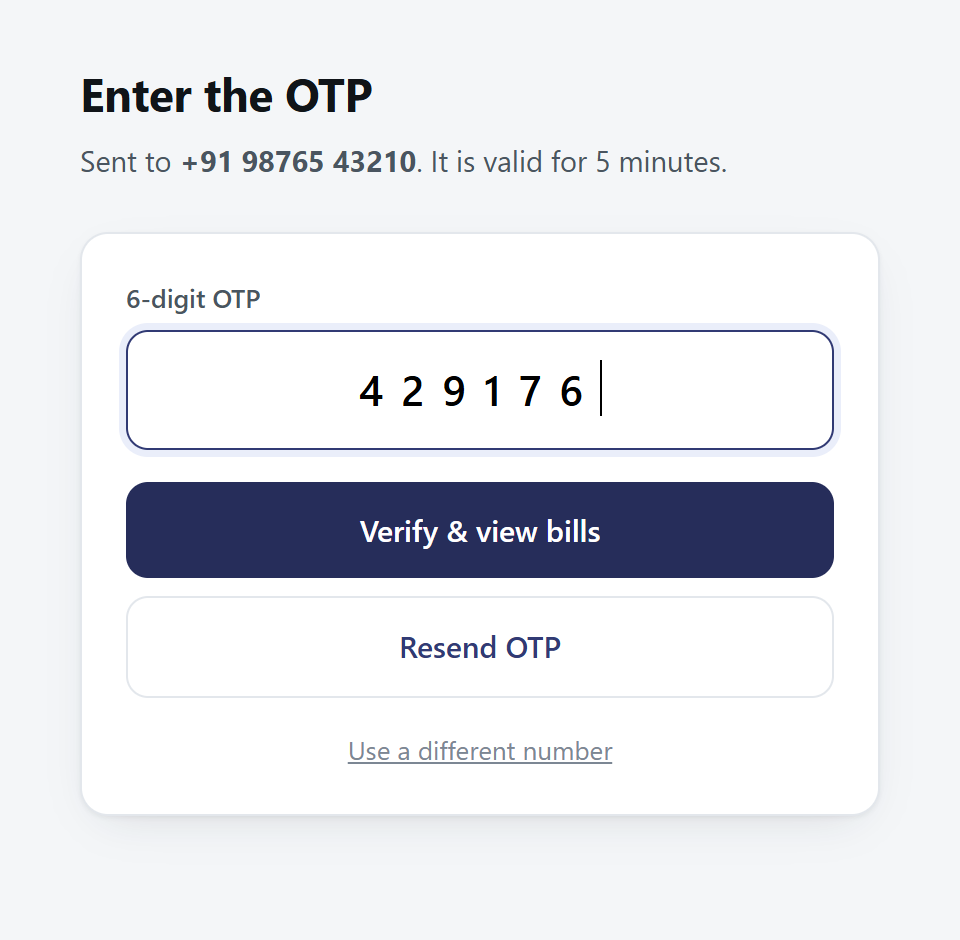
2 Enter the OTP we send you
You will get a 6-digit code by SMS from CHEMIS. Type it in and press Verify. The code is valid for 5 minutes and can be used once.
3 See your bills
Your bills appear newest first, with the date, bill number, store and amount. The last 90 days are shown to begin with; change the From and To dates and press Apply to look further back — up to one year.
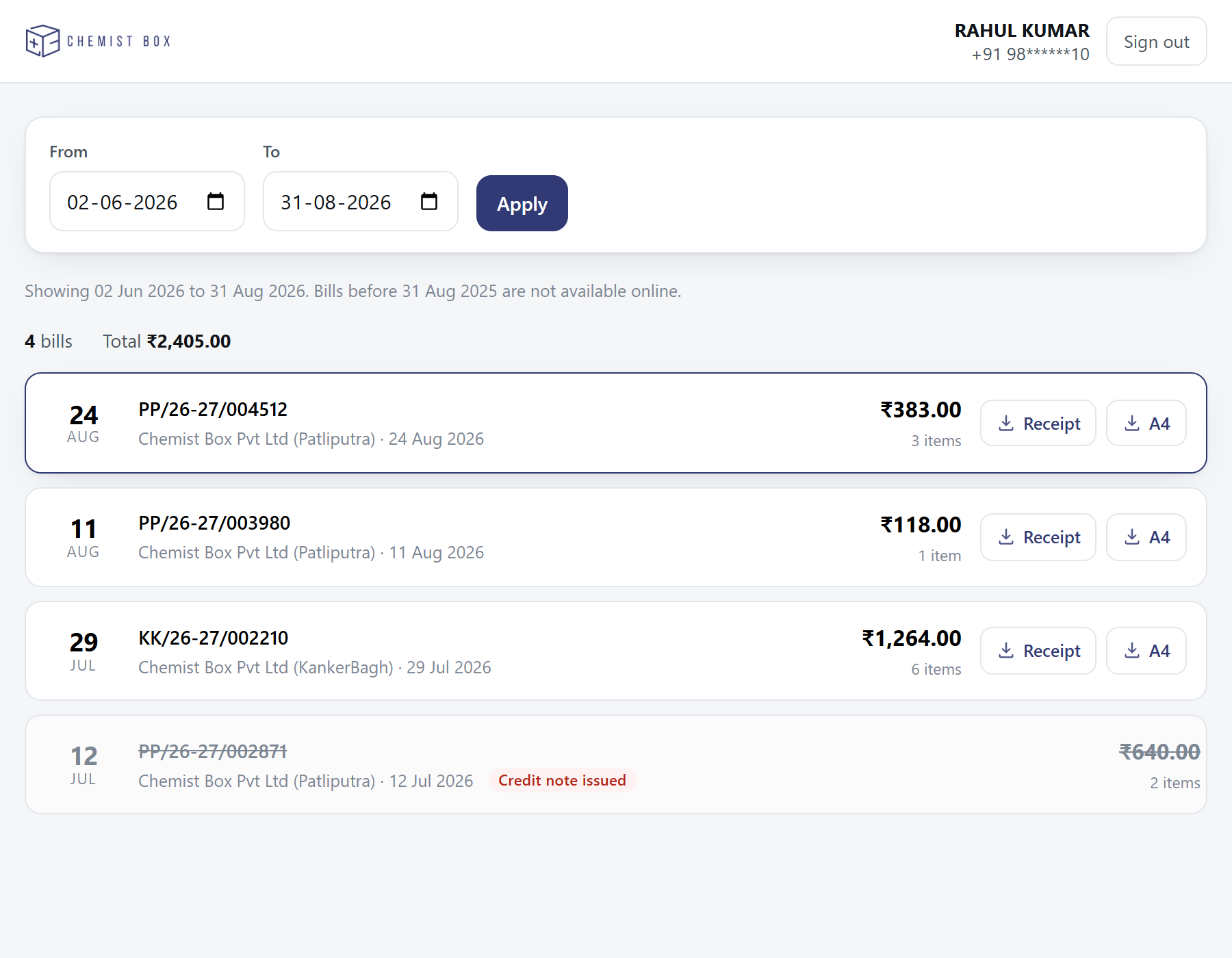
Each row has Receipt and A4 buttons that save that bill straight away. Tap anywhere else on the row to look at it first.
4 Open a bill to check it
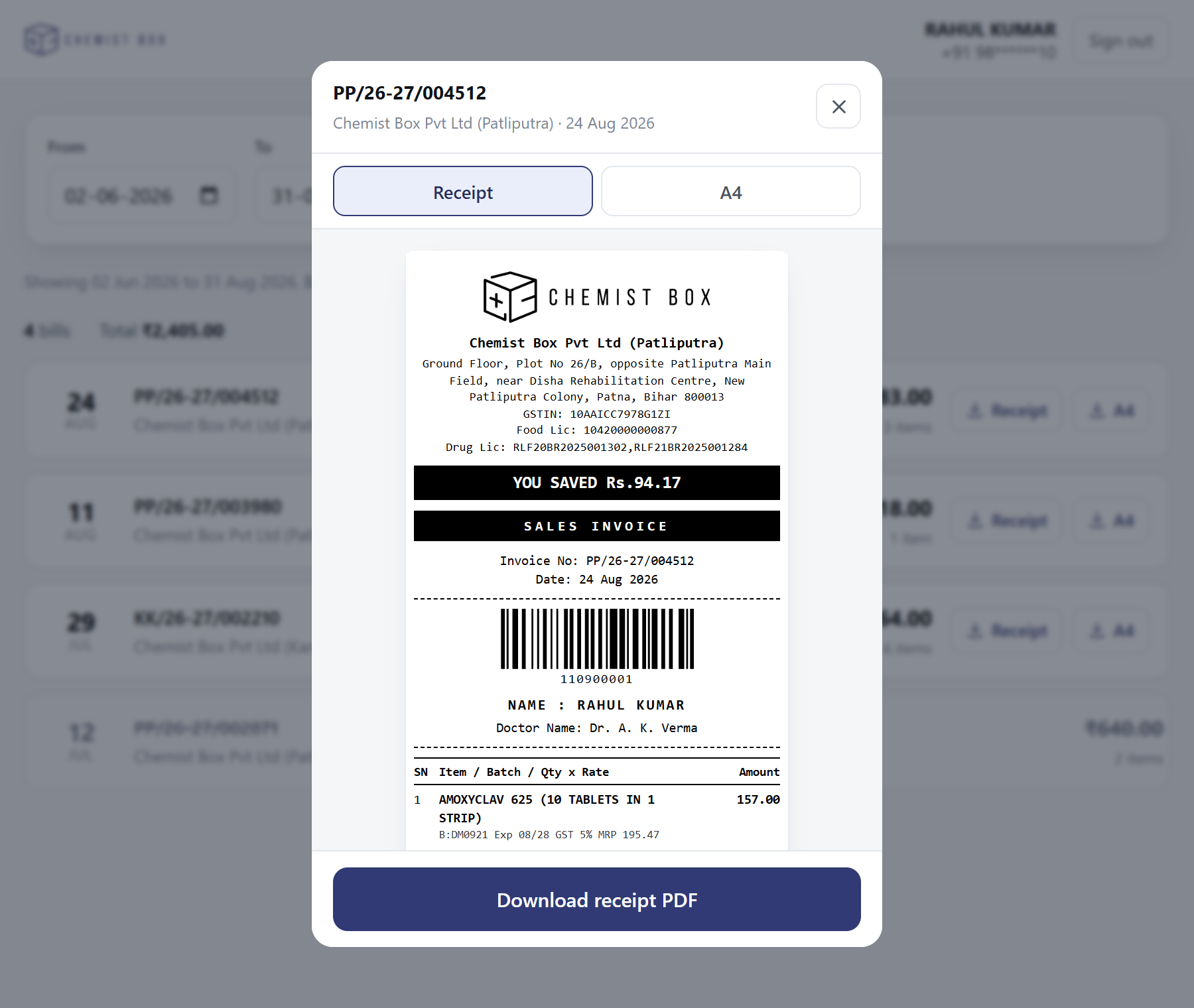
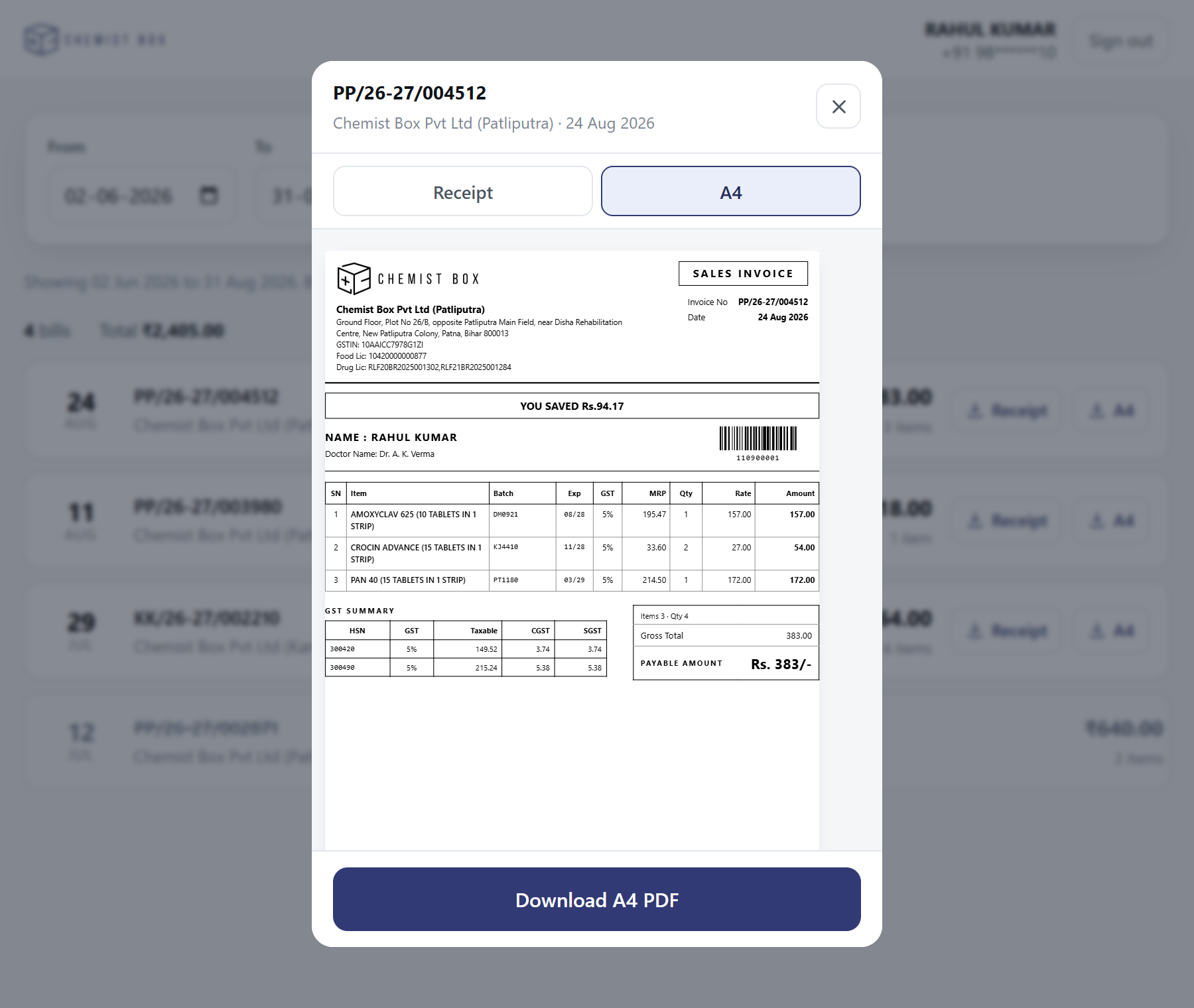
Tapping a bill shows the full receipt — every medicine, batch, expiry, MRP and the GST break-up, exactly as printed at the counter.
5 Download it as a PDF
Two formats are offered. Receipt is the narrow slip you get at the counter. A4 is a full-page invoice that prints cleanly on an office printer — use this one for insurance claims or office reimbursement. Switch tabs, then press the download button.
Common questions
I entered my number but it says no bills are registered
The number has to match the one recorded on the bill. If you gave a different number at the counter, or a family member's number was used, the bills sit under that number instead. Ask at the store, or write to [email protected].
An older bill is missing
Only the last 12 months are available online. Anything older is not accessible here — ask at the store, or write to [email protected] for those.
One of my bills says “Credit note issued”
That bill was returned or refunded, in full or in part, so it no longer shows what you actually kept. Those bills cannot be viewed or downloaded. The store can give you the credit note; you can also write to [email protected].
Why can I only pick 90 days at a time?
A single search covers at most 90 days. To go further back, move the From and To dates to an earlier 90-day window and press Apply again. The full year is reachable this way.
Can I download all my bills together?
No — bills are downloaded one at a time, from the list or from the preview.
Is my information safe?
Only someone holding your phone can see your bills, because the OTP is sent to that number. We never show a bill belonging to another number, and the session ends by itself after 30 minutes.